
Everything inside MiniMart POS.
A full store-management platform, not just a checkout screen — built on Laravel 13 and React 19, with a fully documented REST API.
F.01
Point of sale
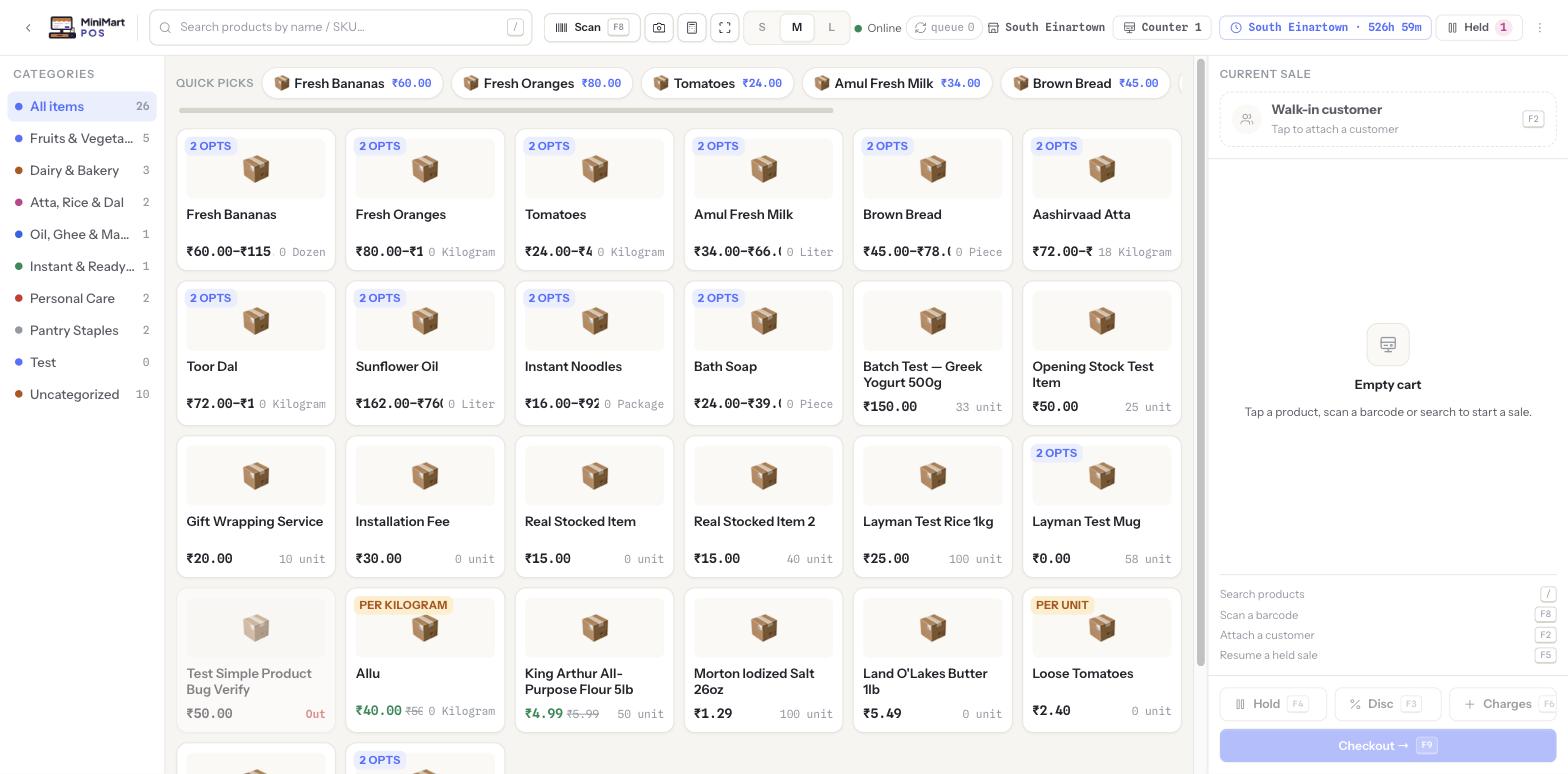
The till is built for speed: the whole sale lives on one page, every action has a key, and anything a plain cash sale doesn't need stays one tap away.
Keeps selling offline
Lose the internet mid-sale and the till keeps ringing up bills. Each sale is saved on the counter and uploaded once the connection returns — never counted twice — and anything that needs attention lands in a Sync Log.
Installable as an app
Runs as a Progressive Web App, so a counter device opens it like a native app.
Scan or search
Keyboard-wedge scanners and the on-screen camera scanner both work. Press / to search or F8 to scan, or browse the category rail with live item counts.
Quick picks
Pin your fastest-moving products to the front of the grid, with real product photos on the tiles (or a category icon when there isn't one).
Split tender
Part cash, part card, part UPI or wallet in one sale. Quick-cash preset amounts make giving change fast.
Hold and resume
F4 parks a cart when a customer steps away; F5 brings it back exactly as it was. A badge counts what's waiting.
Discounts and extra charges
Per-line markdowns, a sale-level discount (F3) and extra charges like packaging or delivery (F6) — each shown as its own line on the receipt.
Weighed items
Products sold by weight take their quantity straight from the connected scale, including barcode-encoded weight labels.
Options and variants
A product with sizes or flavours opens an option picker before it's added, so the right variant is always sold.
Customer on the sale
Press F2 to attach a customer for on-account sales, with a configurable credit limit, or to build their purchase history.
Full keyboard control
/, F2, F3, F4, F5, F6, F8 and F9 cover search, customer, discount, hold, resume, charge, scan and checkout — a cashier never has to reach for the mouse.
Tuned per store
Tile size, product images, add-to-cart beep, tax line in the cart and bill rounding to the smallest coin you carry are all store-level settings.
F.02
Shifts & cash drawer
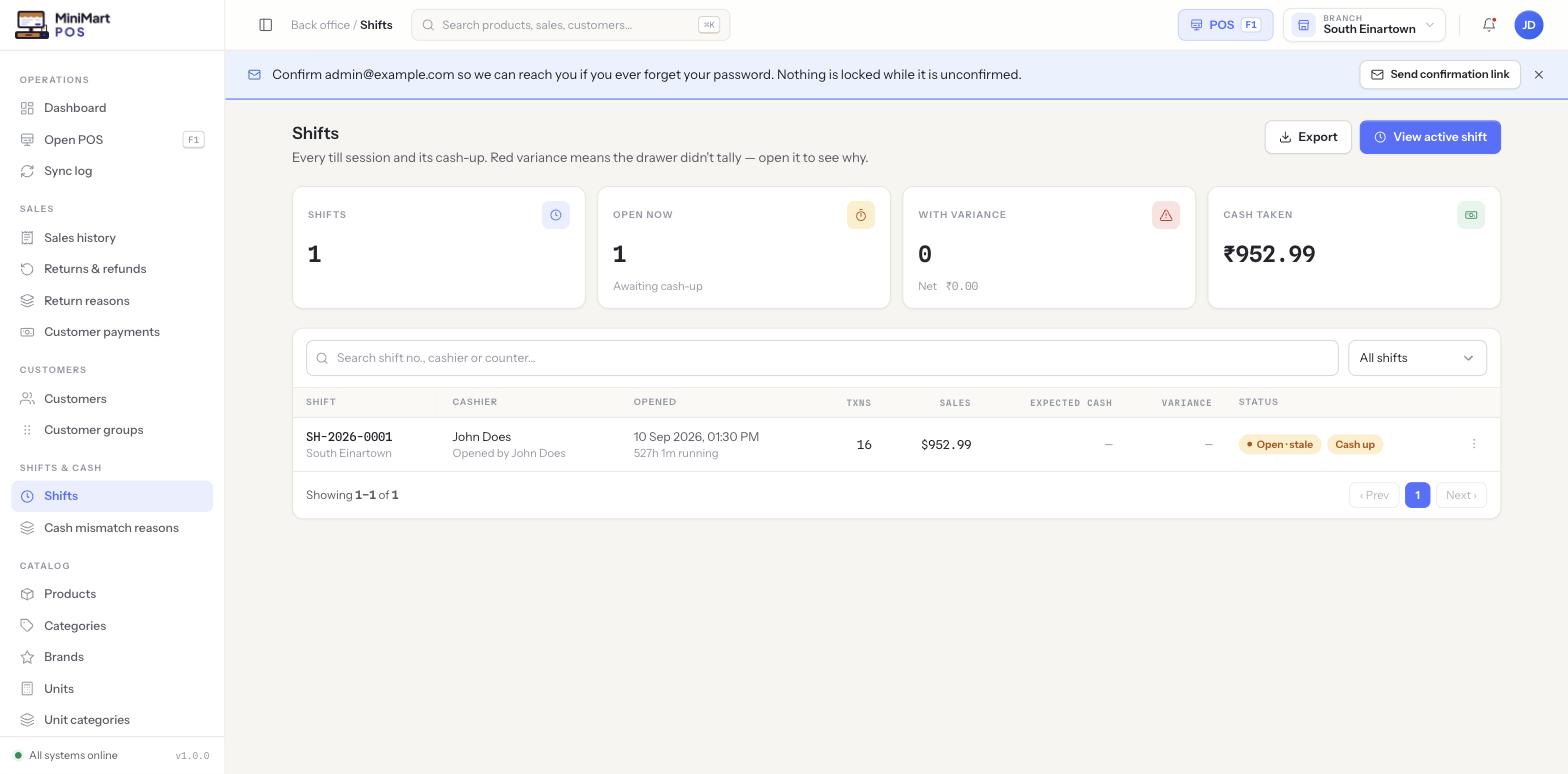
Every sale belongs to a shift on a counter, so the cash in the drawer can always be explained.
Open with a float
The till asks for a starting float before the first sale; that figure is what the shift is reconciled against.
Cash in and out
Record cash added to or taken from the drawer mid-shift, so the count at close still adds up.
Count the drawer
A cash-count denomination helper at close makes the physical count quick and accurate.
X and Z reports
An X report is a safe mid-shift snapshot; a Z report is the final reconciliation produced when the shift closes.
Variance review
Managers see every shift per branch, with variance flags for drawers that didn't tally and for shifts left open too long.
Shift policy per branch
Optional for a single-till kiosk, Enforced for a busy multi-counter branch.
F.03
Returns & refunds
Refunds follow the original sale, so stock and money both stay honest.
Return from any sale
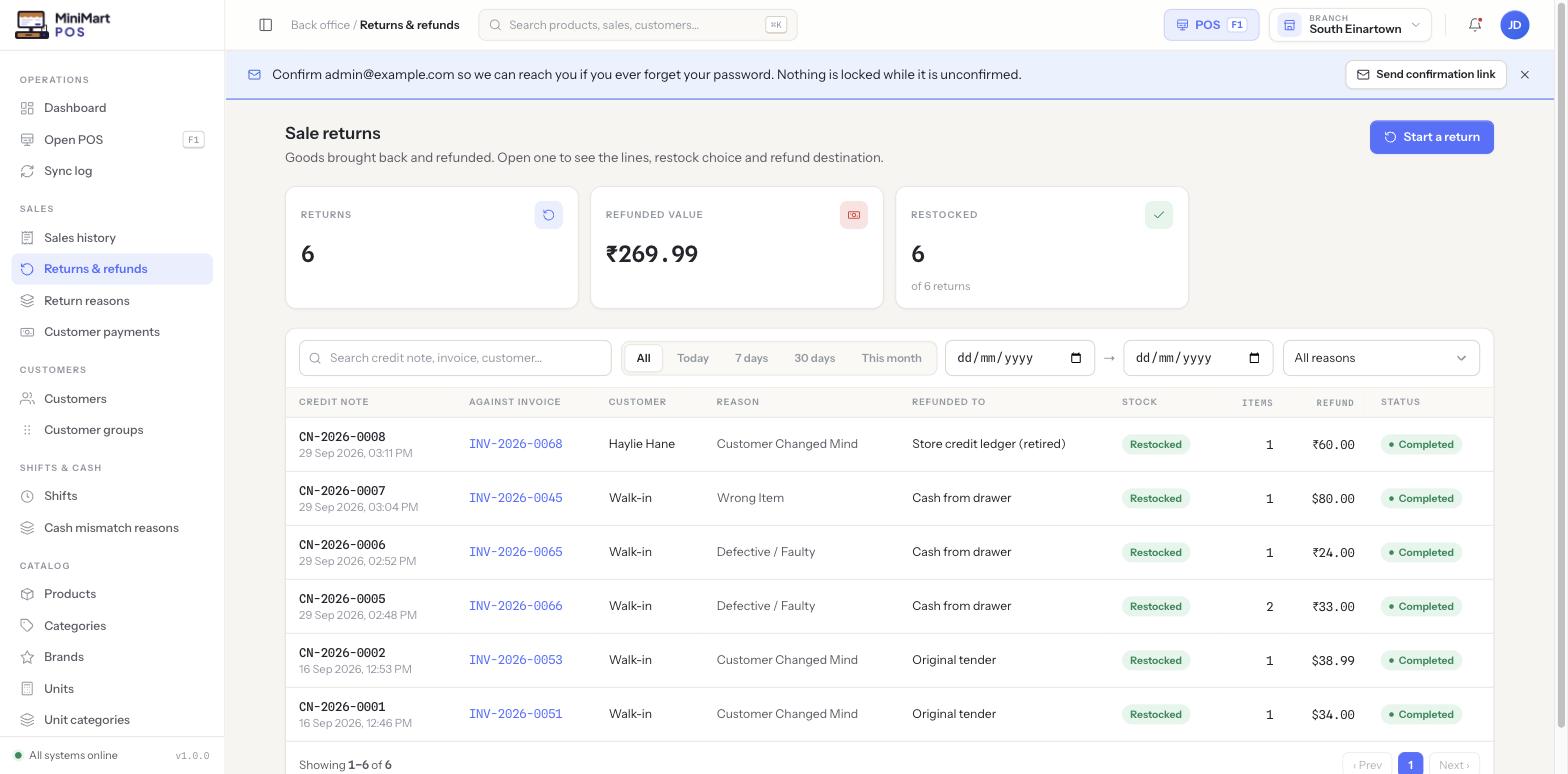
Start a return straight from sales history and pick the lines and quantities coming back.
Stock back or written off
Decide per return whether items go back on the shelf or are written off, using reason codes you manage.
Choose where the refund goes
Return the money by the method that fits — and print a return slip for the customer.
Back-office sales
Raise a manual sale from the back office when a bill needs to be entered after the fact.
F.04
Catalog
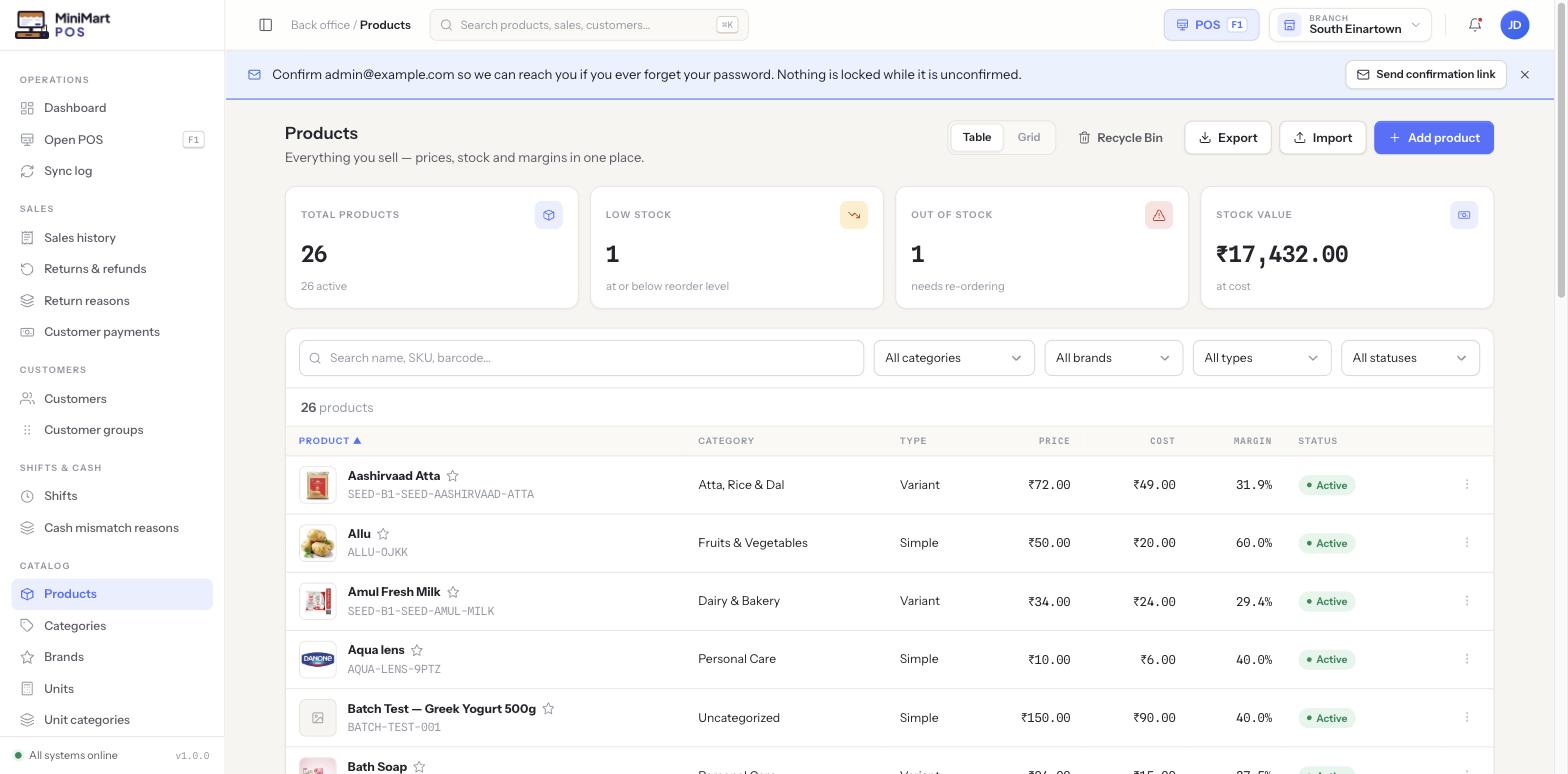
The product record is the single source of truth: the till, inventory, tax and reports all read from it.
Simple, variant, kit and weight-based
Sell by the unit or by weight. Variants get their own SKU, barcode, price and stock count for each size and colour combination.
Categories, brands, units
Organise the catalog with categories, brands and units of measure, and print barcode labels from the same screens.
Pricing with live margin
Set selling and cost price and watch margin update as you type. Cost is never shown to customers.
Tax inheritance
A product uses its own tax group, or inherits it from its category, which in turn inherits the store default.
Compliance fields
Regulatory code, storage condition and drug schedules for pharmacies, with a soft warning at the till on prescription-only items.
Bulk tools
Import products from CSV and print barcode labels in bulk.
One catalog, every branch
The catalog is shared store-wide. Only stock and optional price overrides differ per branch, so nothing is ever duplicated.
F.05
Inventory
Know what's on the shelf, what's about to run out and what's about to expire — and trace every number back to the movement that caused it.
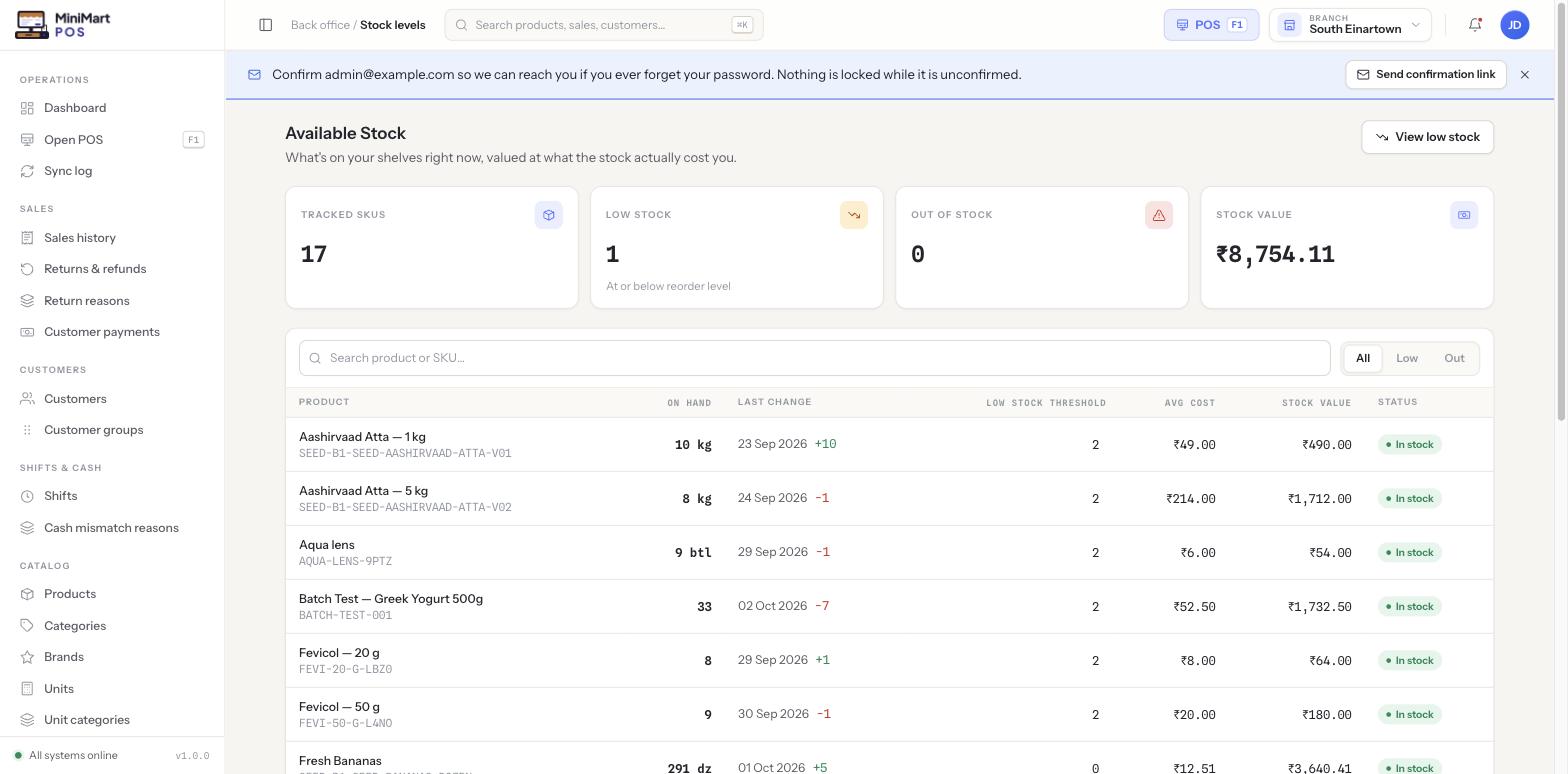
Stock levels and value
On-hand quantity, last change, reorder level, average cost and stock value for every product at the branch you're viewing.
Low-stock to purchase order
Items at or below their reorder level list a deficit and a suggested order quantity; tick them and raise a draft PO in one click.
Batches and expiry
Track lot numbers and use-by dates with automatic first-expiry-first-out picking at the till. Expired stock is blocked from sale, not silently sold.
Movement ledger
Every sale, adjustment, transfer and goods receipt is recorded, so a wrong number can always be traced.
Adjustments and cycle counts
Build them as drafts with a reason code; nothing changes on-hand quantity until it's posted.
Transfers between branches
Move stock from one branch to another with a clear trail on both sides.
Per-variant tracking
Turn stock tracking on or off per option without affecting its siblings.
Quick restock and opening stock
Top stock up directly without the full PO workflow, or load opening balances when you start.
F.06
Purchasing & suppliers
From reorder to payment, in a workflow that matches how a shop actually buys.
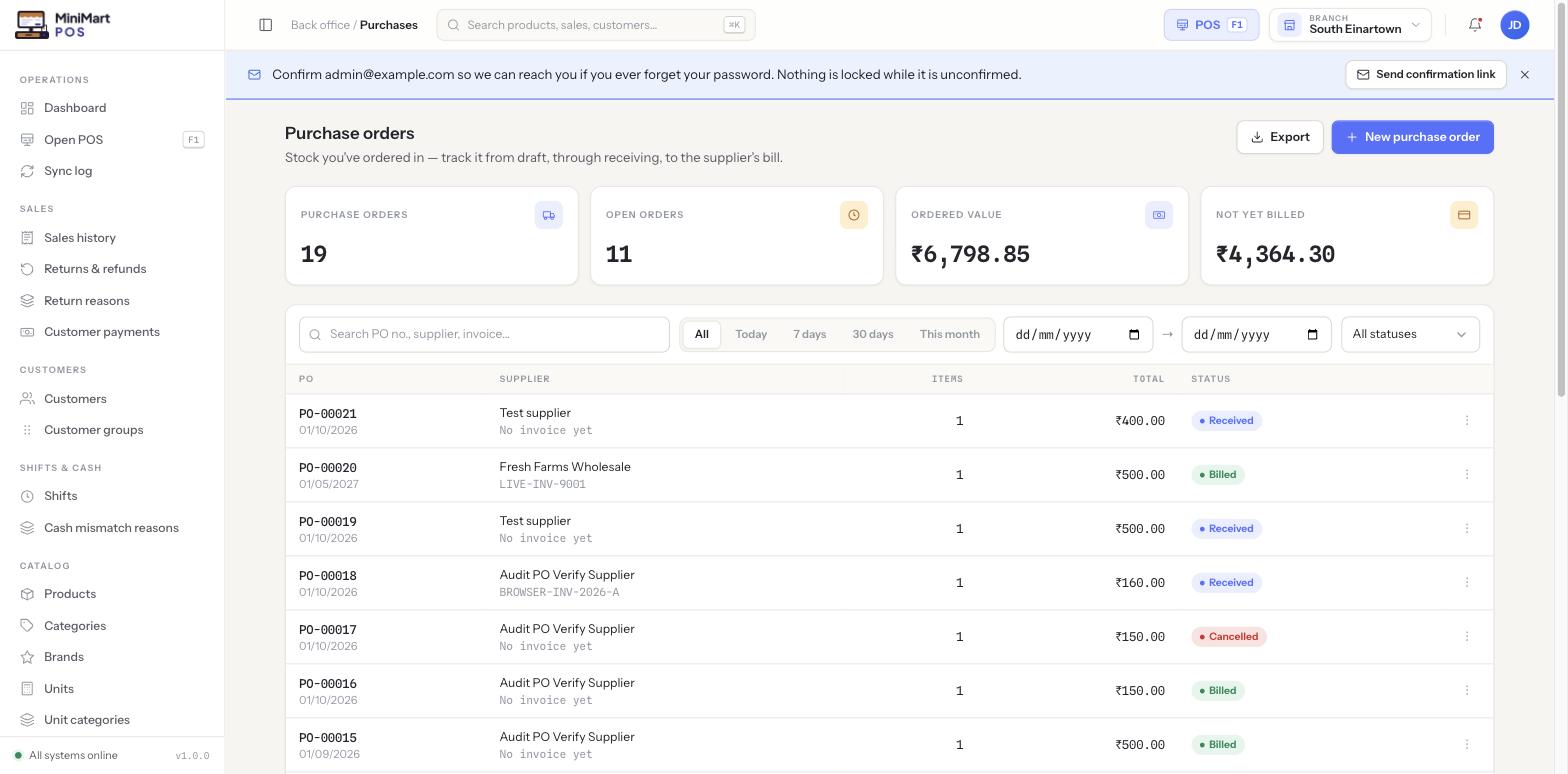
Purchase orders
Move through draft, ordered, received and billed, receiving goods straight into inventory. Print the PO as a PDF.
Purchase bills
Record a supplier's bill against a PO and pay it down over time.
Purchase returns
Send goods back with the effect on stock and payable applied, or log paperwork-only returns.
Supplier ledger and payments
A running statement per supplier, with payments allocated across one or more bills — even paid from the cash drawer.
Payables ageing
See how overdue what you owe suppliers is, bucketed by age.
Expenses
Track rent, utilities, salaries and freight in their own categories, kept apart from stock spend.
F.07
Customers & credit
Run a khata or on-account book without a separate notebook.
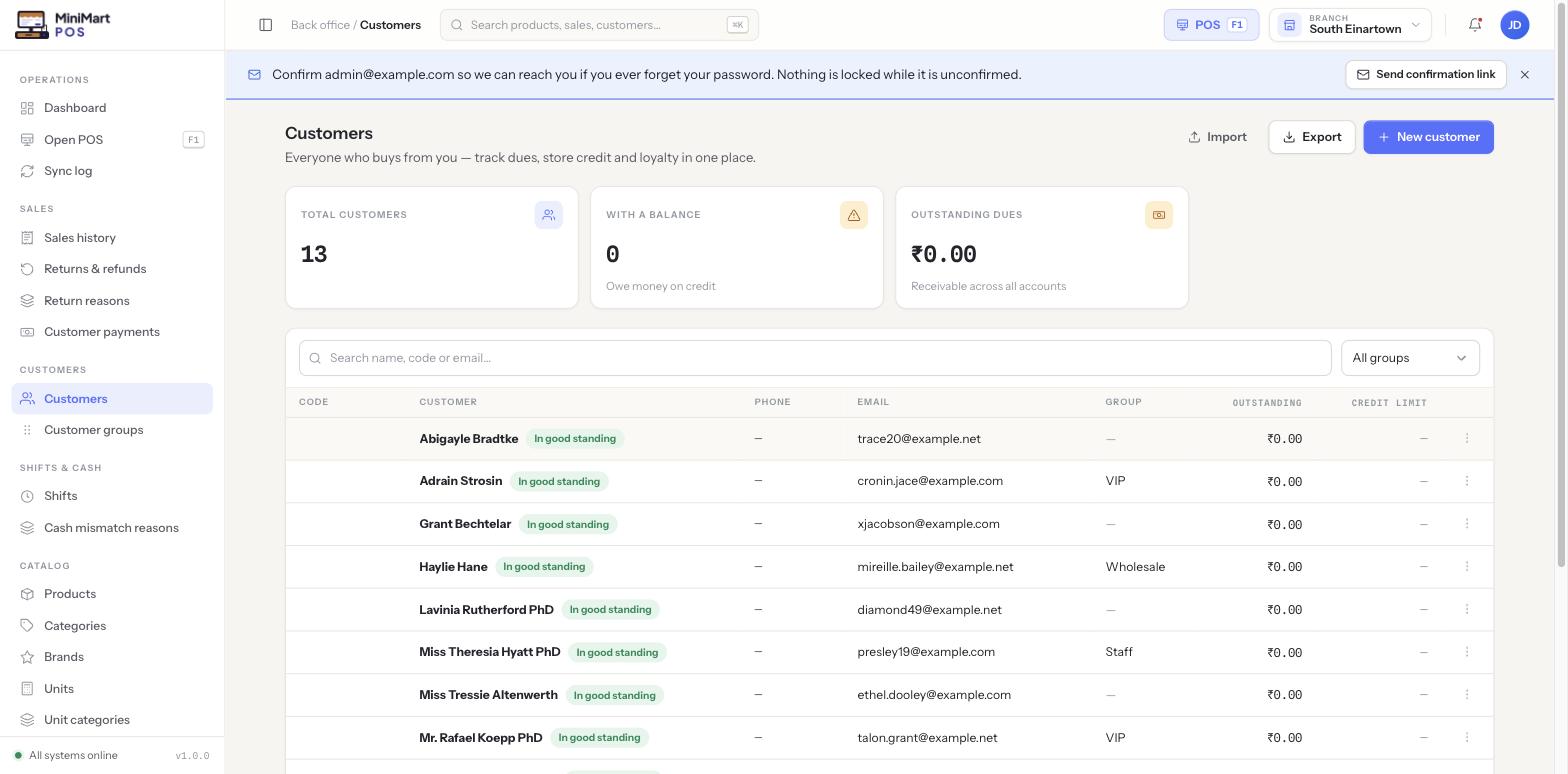
Customer accounts
Save customers with contact details and a full purchase history.
Running credit ledger
Sell on account up to a configurable limit and read a complete statement per customer.
Payments against invoices
Record a payment once and allocate it across one or more outstanding sales; reprint the receipt for what it covers.
Customer groups and discounts
Group customers and attach discounts to the group.
Aged receivables
See which balances are overdue and by how long.
Bulk CSV import
Bring an existing customer list across in one go.
F.08
Dashboard & reports
A dashboard that tells you what needs attention today, and reports that are ready for the accountant.
Live dashboard
Net sales, transactions, customers served and low-stock items, each with a trend against the previous period.
Needs-attention tiles
One click to low stock, batches expiring within 30 days, held orders waiting and open shifts.
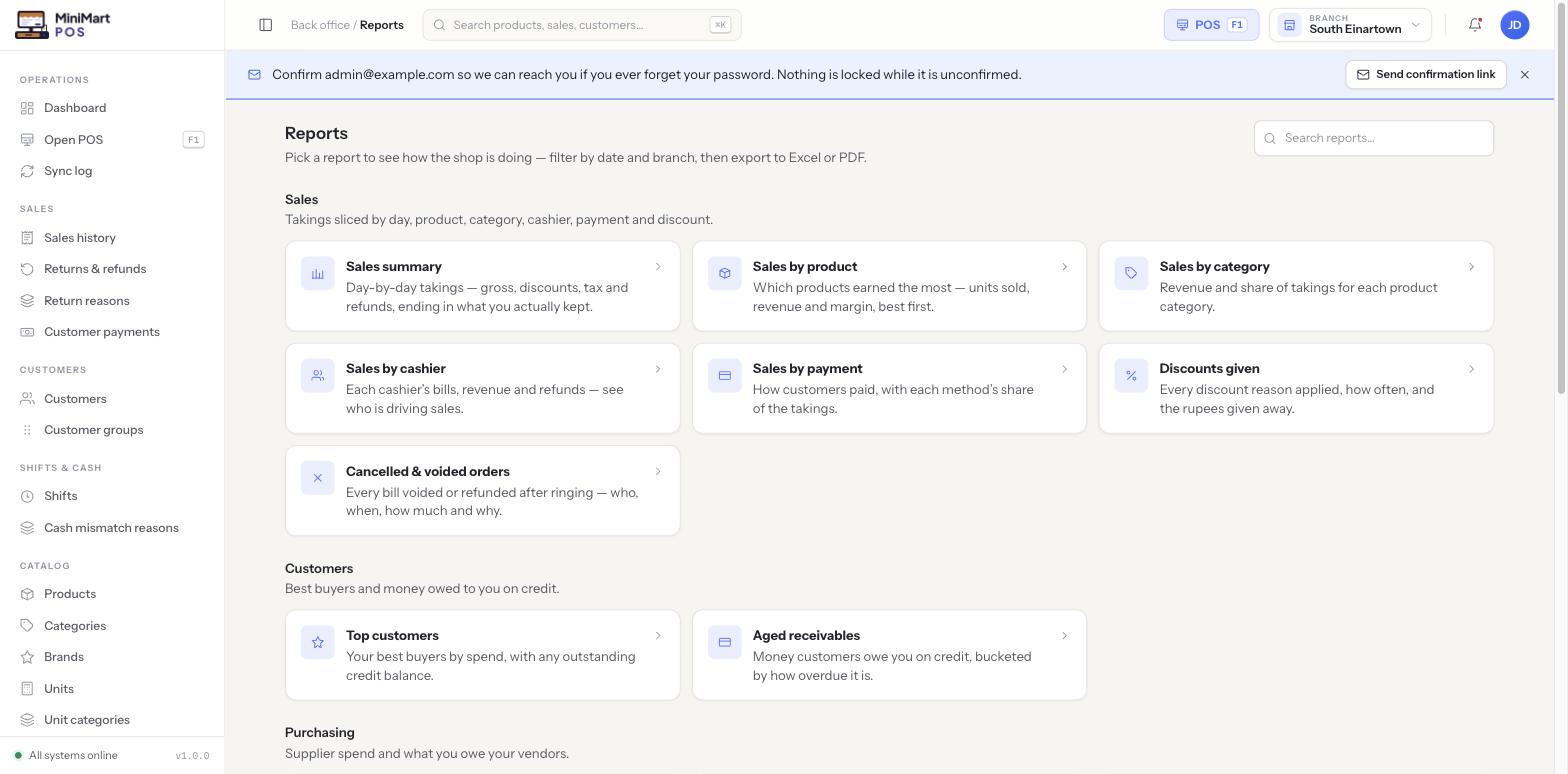
Sales reports
Summary, by product, by category, by cashier and by payment method, plus discounts given and cancelled or voided orders.
Customer and purchasing reports
Top customers, aged receivables, top suppliers by spend, payables ageing and an expense summary.
Inventory reports
Valuation, movement, expiry, low stock and catalog compliance (products missing barcode, category or tax).
Shift and tax reports
Shifts by cashier and shift variance, and a tax summary broken down the way your return needs it.
Per branch or consolidated
Look at one branch or the whole store, and export any report to CSV.
F.09
Tax & money
Set rates once and every product follows — including the split rates many markets require.
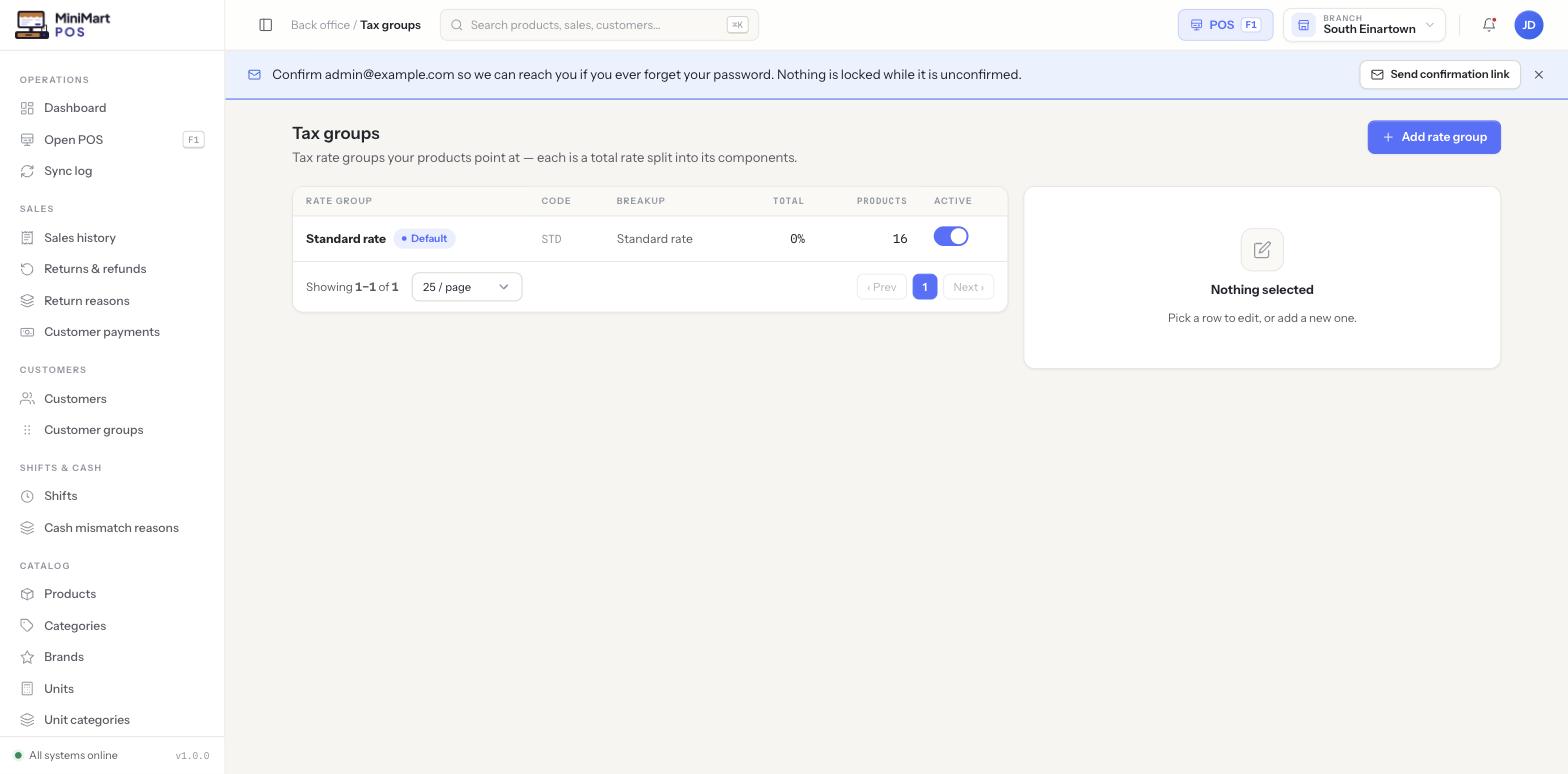
Components, groups, classifications
Define each rate once as a component, bundle components into tax groups (like CGST + SGST), and mark zero-rated or exempt items with a classification.
Central rate changes
Change a component's rate and every product using that group recalculates.
Inclusive or exclusive pricing
Show prices with tax included or added on top.
Currencies
Define several currencies with their own decimals; one is active store-wide for prices, receipts and reports.
Payment methods
Cash and card are built in. Add your own offline methods, such as mobile money or a local wallet, with an optional required reference.
Store payment gateways
A store can collect from its own customers into its own account, separate from the platform's billing gateways.
F.10
Multi-branch & registers
Grow from one counter to a chain without rebuilding anything.
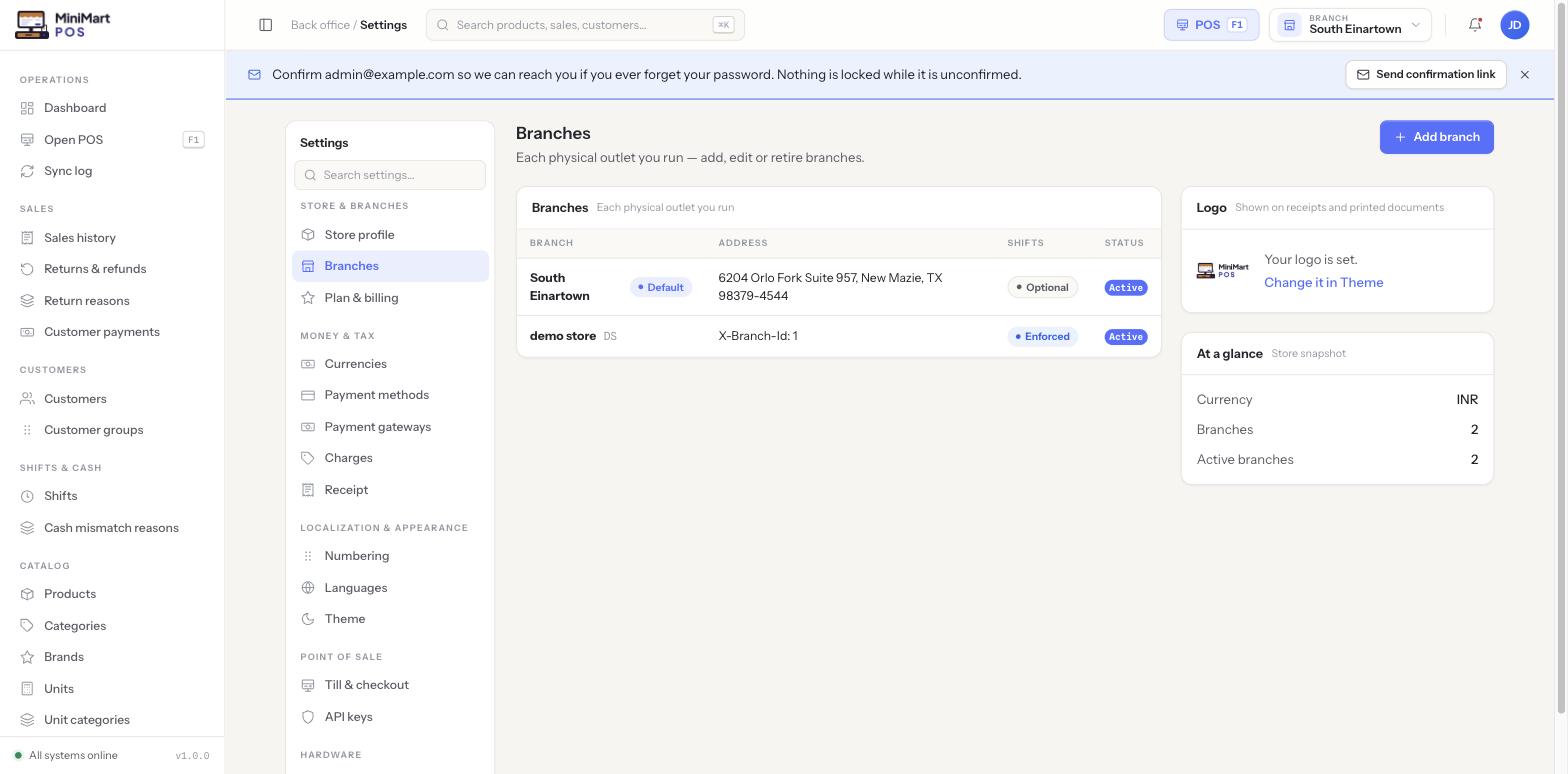
Unlimited branches
Each branch has its own stock, optional price overrides, counters and shift policy.
Instant switching
The branch switcher scopes every screen to one branch at a time.
Registers
Add counters per branch, mark which one is "this device" and retire the ones you no longer use.
Shared where it should be
Products, tax, staff, roles, currency and settings are store-wide — never duplicated per branch.
F.11
Receipts & hardware
Print straight from the till, with no browser dialog in the way.
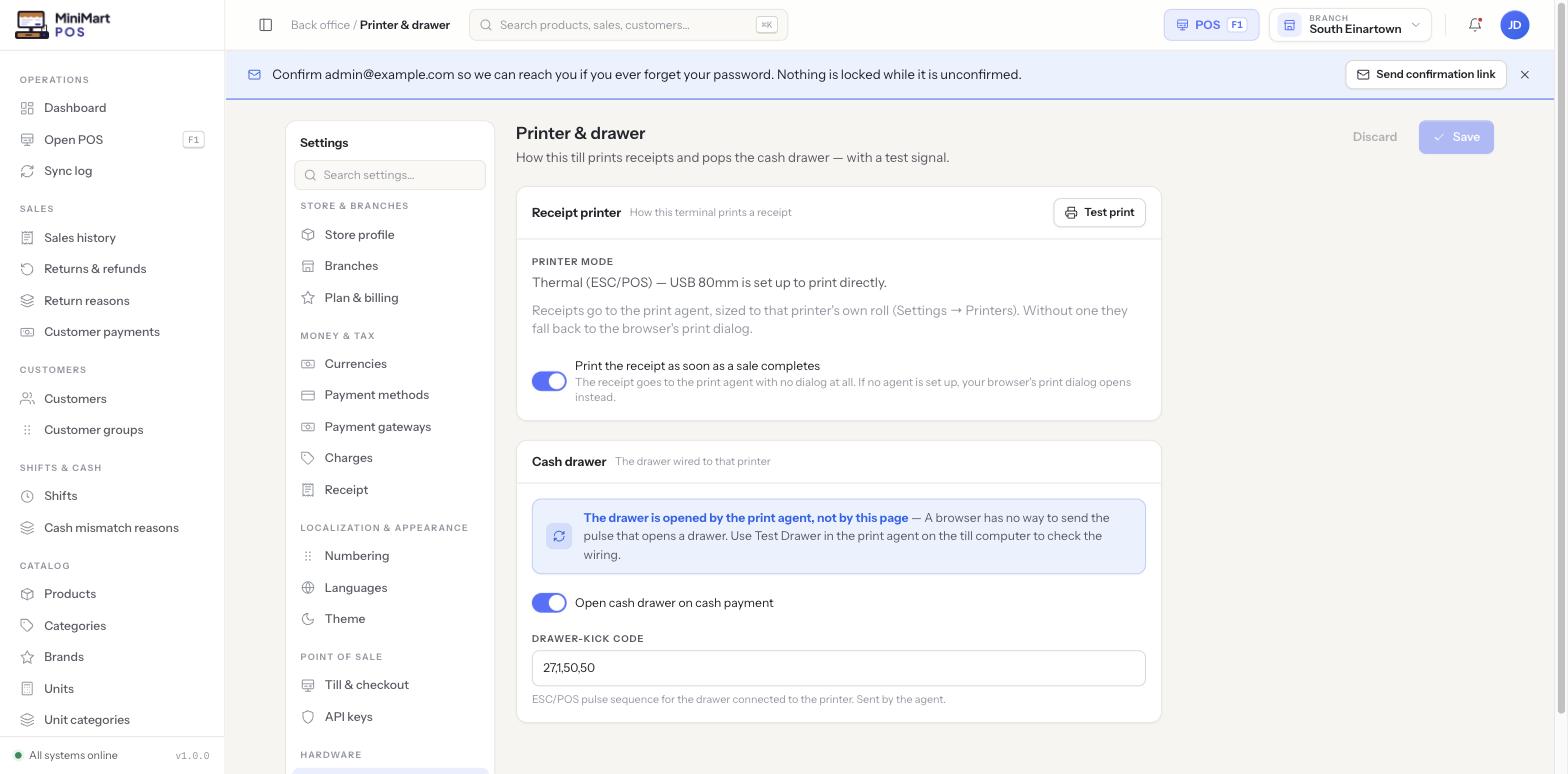
Direct printing
A small background print agent prints receipts and opens the cash drawer without a print-preview dialog, with auto-print on sale if you want it.
Printers per register
Register each physical printer at a branch, choose paper size per printer and assign it to a counter.
Receipt designer
Choose what prints on the receipt, with your own logo and branding.
Scanners and scales
Plug-and-play barcode scanners and weighing-scale integration for scale-priced products.
Share receipts
Print or share a receipt digitally.
F.12
Staff & permissions
Decide who can sell, refund, see cost prices and touch settings.
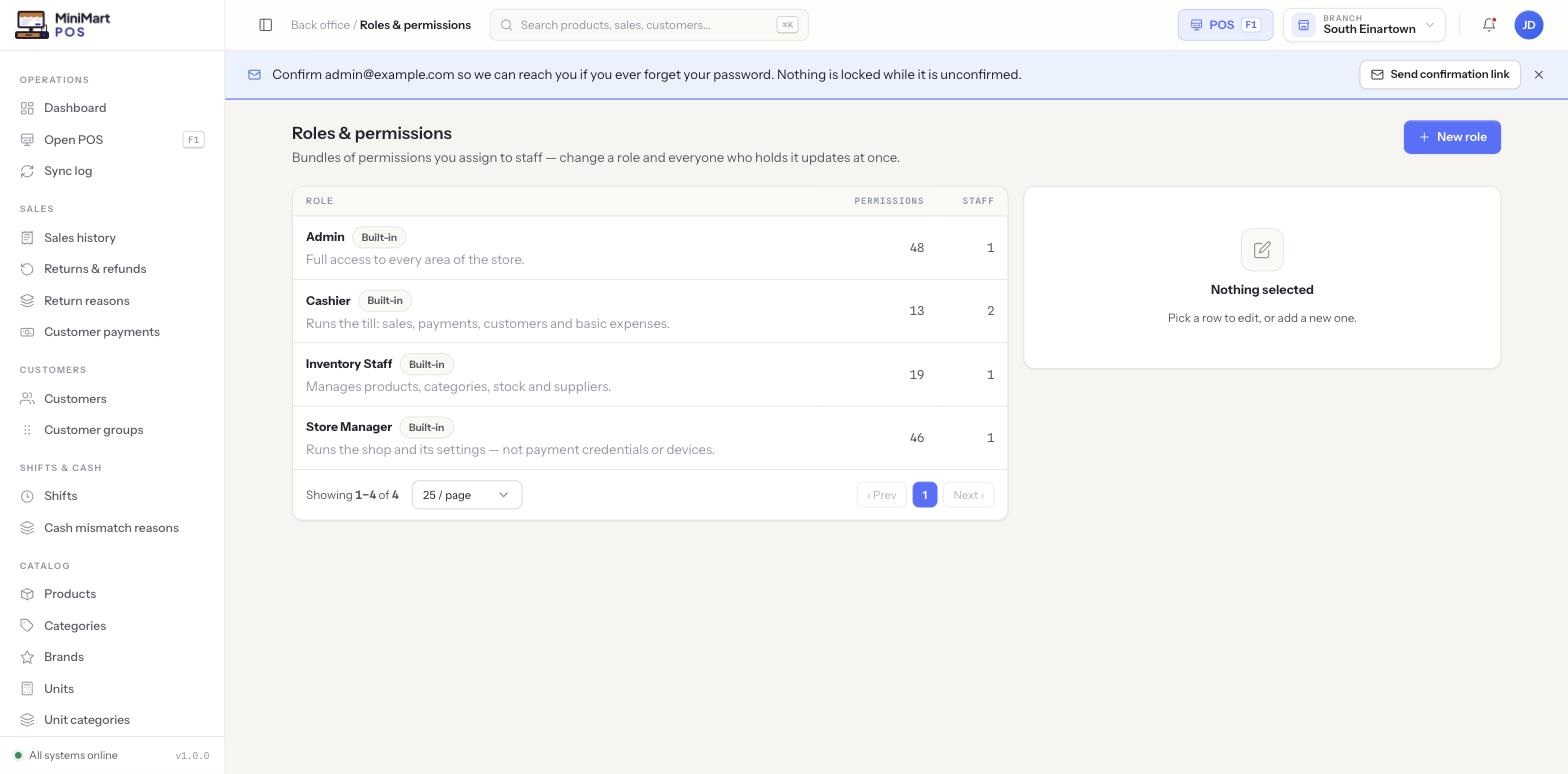
Roles
Four built-in roles — Store Manager, Admin, Cashier and Inventory Staff — plus custom roles you define. Change a role and every holder updates at once.
Granular permissions
Permissions are grouped by area (sales, inventory, customers, settings) so you can grant a whole area or fine-tune one action.
Branch access per person
The same Cashier role can be limited to one branch for one person and open to every branch for another.
Quick sign-in
Use email and password, or a PIN for fast till sign-in.
F.13
Localization & branding
Speak your staff's language and wear your own brand.
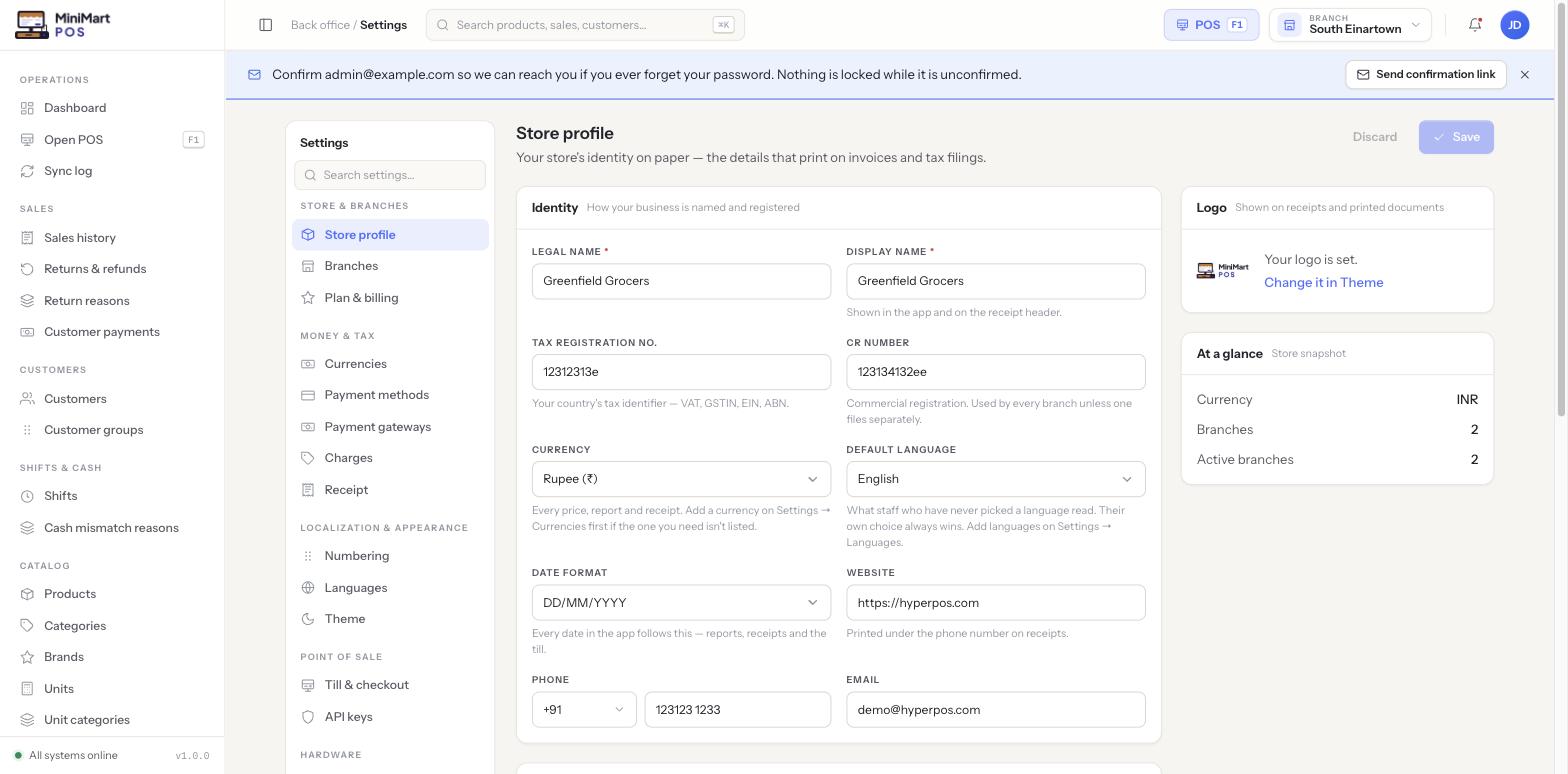
Seven languages
English, Spanish, French, German, Italian, Portuguese and Russian, plus right-to-left Arabic with a fully mirrored interface.
Per-staff language
Admins enable a pool of languages; each staff member picks their own.
Theme
Accent colour, logo, a separate dark-mode logo and favicon, and a light, dark or system default.
Document numbering
Set the prefix and padding for invoices and purchase orders.
F.14
SaaS billing & subscriptions
One installation, unlimited stores, and a subscription business built in.
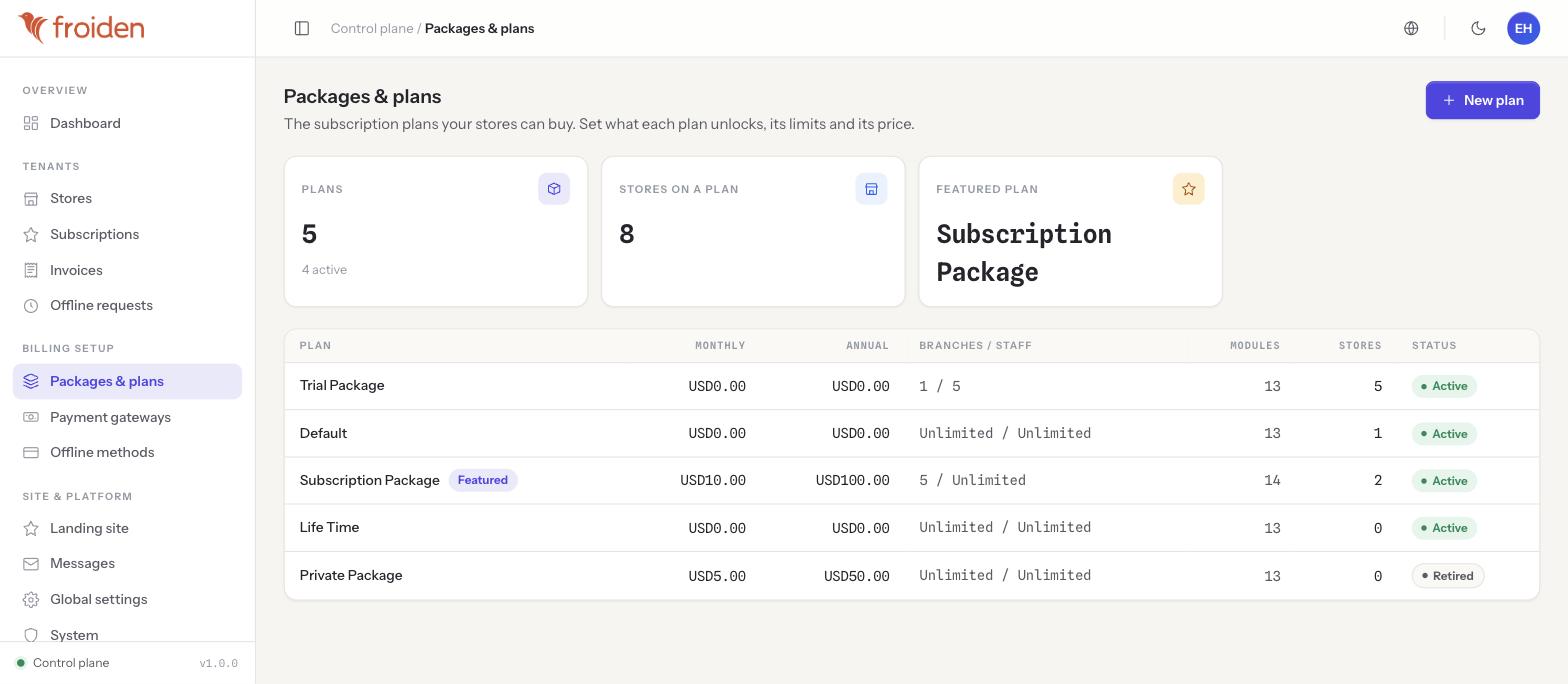
Multi-tenant architecture
Every store gets its own isolated back office on your single install.
Plans and packages
Monthly and annual prices, branch and staff limits, trials, lifetime plans, and modules that switch whole sections on or off per plan.
Nine payment gateways
Stripe, Razorpay, PayPal, Paddle, Paystack, Flutterwave, Xendit, Payfast and LigdiCash, each with webhook handling and automatic renewal and expiry.
Offline payment methods
Take bank transfers or cash outside any gateway and approve the requests yourself.
Invoices and subscriptions
See which store is on which plan and whether they're paid up.
F.15
Superadmin console
The control plane for the operator running the platform.
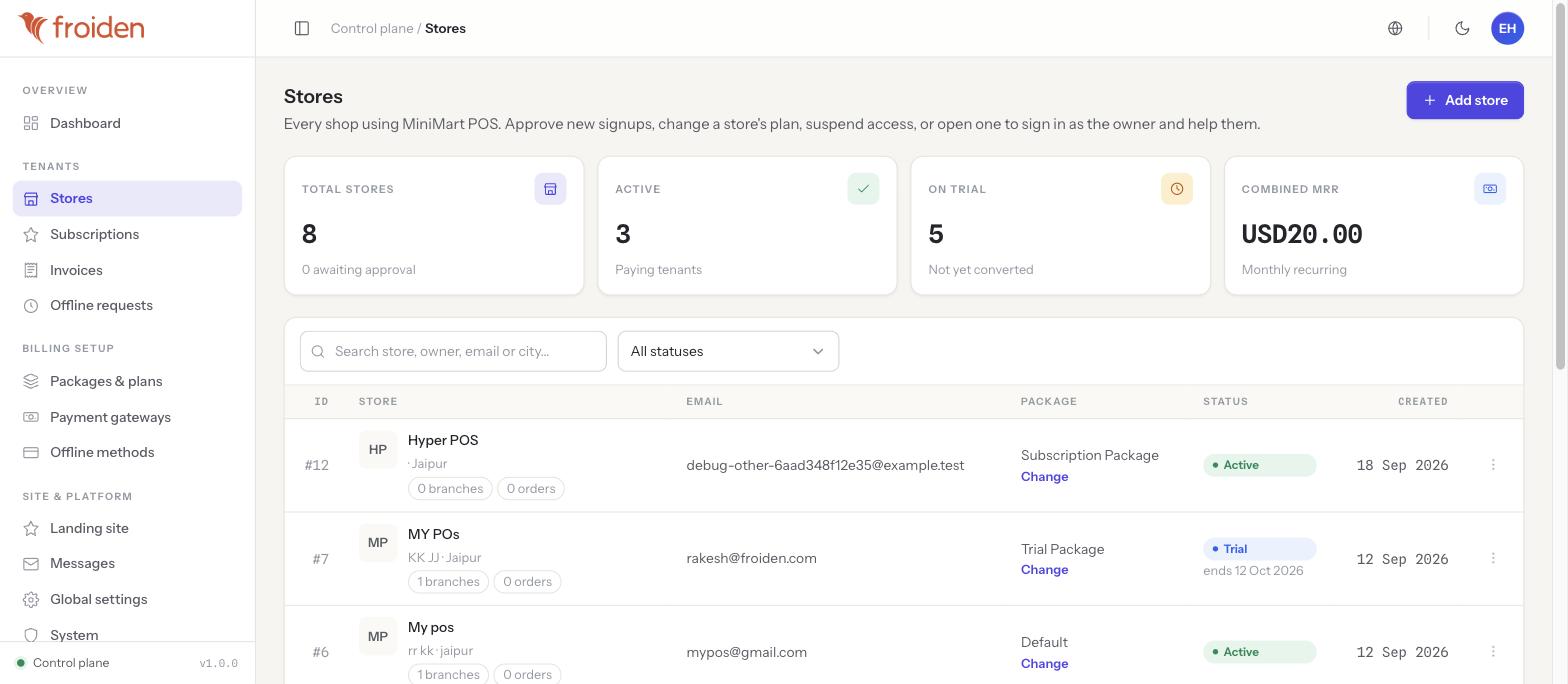
Store management
Approve new stores, suspend and reactivate without deleting data, change plan, extend a trial and reset an owner's password.
Impersonation for support
Sign in as a store owner to reproduce a problem. Every session is logged and never signs you out of your own account.
Platform settings
Outbound mail, file storage, push credentials, password policy and default currency, language and branding, managed once for every store.
Landing-site builder
Edit your public marketing site block by block — reorder sections, change copy, toggle sections off — with no code. Pages are server-rendered with sitemap, robots.txt and structured data.
Inbox and API keys
Read messages from your site's contact form and issue keys to integrate against the API.
Tech stack & requirements
Backend: Laravel 13 (PHP 8.3+), MySQL 8. Frontend: React 19 + TypeScript, React Router 7, TanStack Query, Zustand, Tailwind CSS 4, Vite. Offline: Dexie (IndexedDB) with a Progressive Web App build.