
Purchase bills
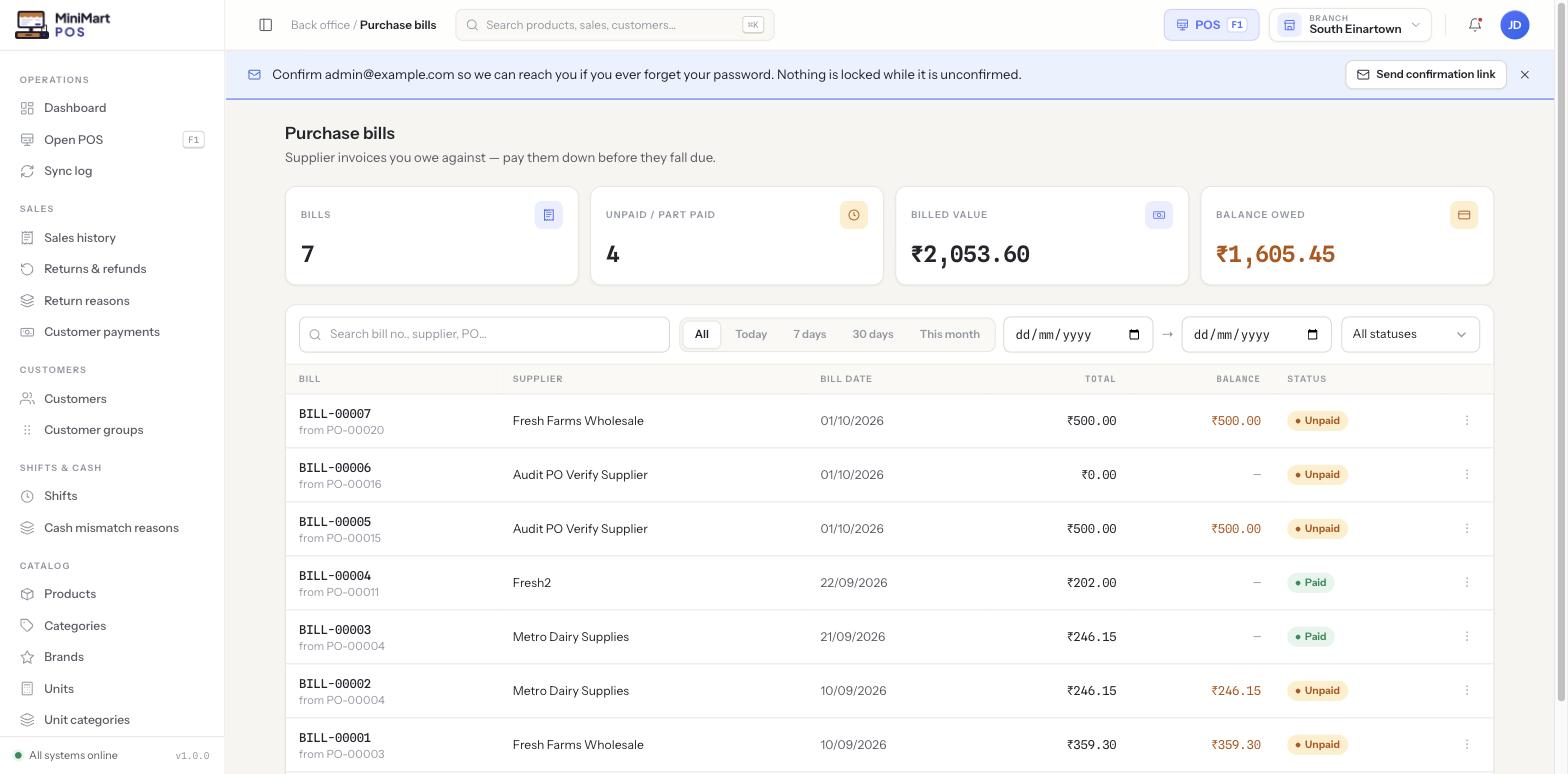
Supplier invoices you owe against — record them against a received order, then pay them down before they fall due.
Overview
A purchase bill is the supplier's own invoice, recorded in MiniMart against one received purchase order (occasionally more than one). Recording a bill is the step that actually creates a payable — money your store owes that supplier. A bill can be paid in full straight away, paid down over several partial payments, or left outstanding until it's due.
Why it's useful
Separating the bill from the PO means your payable always reflects what the supplier actually invoiced you — not what you originally ordered, which can differ if pricing changed or only part of an order shipped. It also means you can see, at a glance across every supplier, exactly how much you owe in total and which individual bills are overdue, rather than having to reconcile invoices by hand.
Step by step
Record a bill against a PO
- Open a received purchase order
Only POs that have had goods received against them can be billed — billing before receiving isn't meaningful, since nothing has actually arrived yet.
- Click Record bill
Enter the supplier's invoice number/reference, the bill date, and the amount they've invoiced — this becomes the bill total.
- Save it
The bill appears in this list with a Balance equal to its total, and status Unpaid.
Pay a bill down
- Record a payment
Go to Supplier payments and allocate an amount against this bill (or several bills at once for the same supplier).
- Watch the balance and status update
A bill moves from Unpaid to partially paid as payments are allocated, and to Paid once its balance reaches zero.
Where the numbers show up
Any bill with a balance above zero rolls up into that supplier's payables figure on the Suppliers list, and into the store-wide "Balance owed" stat on this page. Paying a bill down immediately reduces both.
Tips & best practices
- Record the bill as soon as the supplier's invoice arrives, even if you're not paying it yet — an unrecorded bill understates what you actually owe.
- Use the date-range and status filters to find bills coming due before they become overdue, rather than discovering them on the Suppliers list after the fact.
- Keep the supplier's invoice reference accurate — it's what you'll match against their statement if a dispute ever comes up.
Notes & warnings
Ordering or even receiving goods doesn't by itself create anything you owe — only recording the supplier's bill does. If a supplier balance looks lower than expected, check whether a recent delivery has actually been billed yet.
Most bills don't get paid in one go — a bill with status "Unpaid" or partially paid simply means its balance hasn't reached zero yet, not that anything is wrong.