
Till, checkout & API keys
How the sell screen looks, what the cart shows, and the rules that bind everyone at this counter — plus a separate, more sensitive screen for minting API keys to build your own integration.
Overview
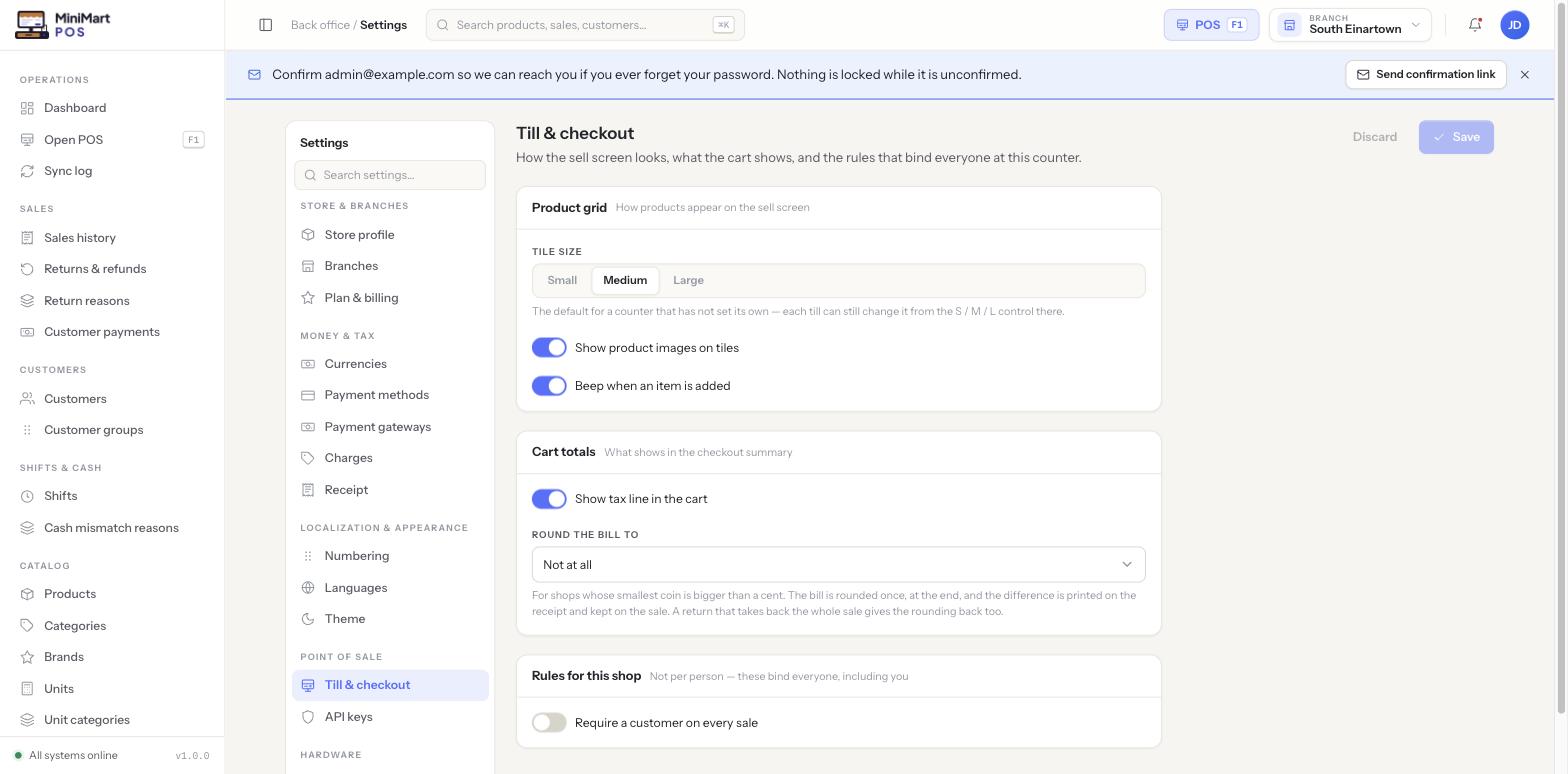
This settings group covers two pages. Till & checkout sets the store-wide defaults for how the POS sell screen looks and behaves — product grid tile size, images, sounds, and what the cart totals show. API keys is a separate, more sensitive screen for minting bearer tokens so you can build a custom integration against MiniMart's own REST API.
Why it's useful
A busy counter runs faster when the sell screen is tuned to how that shop actually works — bigger tiles with images for a shop with less experienced cashiers, a quiet till with no beep for a shop that finds it annoying, a rounding rule so cashiers in a cash-only market never have to hunt for exact small change. Setting sensible defaults here means every new counter starts out configured correctly, and only needs a local override for a genuine exception.
Till & checkout
Product grid
| Setting | What it controls |
|---|---|
| Tile size (Small / Medium / Large) | The default size of product tiles on the POS grid. This is only the default for a counter that hasn't set its own — each till can still switch tile size locally from its own S/M/L control without affecting this store-wide setting. |
| Show product images on tiles | Whether product photos appear on the grid, or tiles show name/price only. |
| Beep when an item is added | Whether the till plays an audible confirmation each time an item is scanned or added to the cart. |
Cart totals
| Setting | What it controls |
|---|---|
| Show tax line in the cart | Whether the tax amount is broken out as its own line in the cart, or folded into the total. |
| Round the bill to | Rounds the final total to the nearest unit of your choosing — for example the smallest coin your till actually carries. Defaults to Not at all, so a store only needs this in cash-only markets where exact-change coins have been withdrawn or are impractical to keep in the drawer. |
See The POS screen for how cashiers actually use the grid and cart day to day, and Registers (counters) for how an individual till can override the store-wide tile-size default.
API keys
API keys is where a store mints its own bearer tokens for MiniMart's REST API — the same API the React app itself talks to — so you (or a developer you hire) can build a custom integration: pushing sales into external accounting software, syncing a separate e-commerce catalog, or anything else that needs programmatic access rather than someone using the app by hand. Unlike the everyday settings pages, API keys live behind the Manage Sensitive Settings permission rather than Manage Settings, since a leaked key grants real API access to the store's data. If you're not sure what an API key actually is or how to use one, see the Glossary.
Tips & best practices
- Choose Large tiles with images for counters staffed by less experienced cashiers — it trades screen density for faster, more confident item recognition.
- Turn off the beep for a quiet checkout environment (small boutiques, pharmacies) where other customers are close to the till.
- Only set a bill-rounding rule if your store genuinely can't make exact change — it changes what a customer is charged by a small amount on every sale.
- Name each API key for what it's used for (e.g. "Accounting sync") rather than issuing one generic key for everything, so a compromised integration can be revoked without breaking the others.
Notes & warnings
A Store Manager who can change tile size or the beep setting may not be able to see or mint API keys at all — that screen is gated separately because a key is a real, live credential. See Store profile & plan for the full permission-tier breakdown across Settings.
Changing tile size on this page sets what a brand-new counter starts with. A counter that has already picked its own tile size keeps that choice until someone changes it locally — this setting doesn't retroactively override every till in the store.