
Shifts & cash drawer
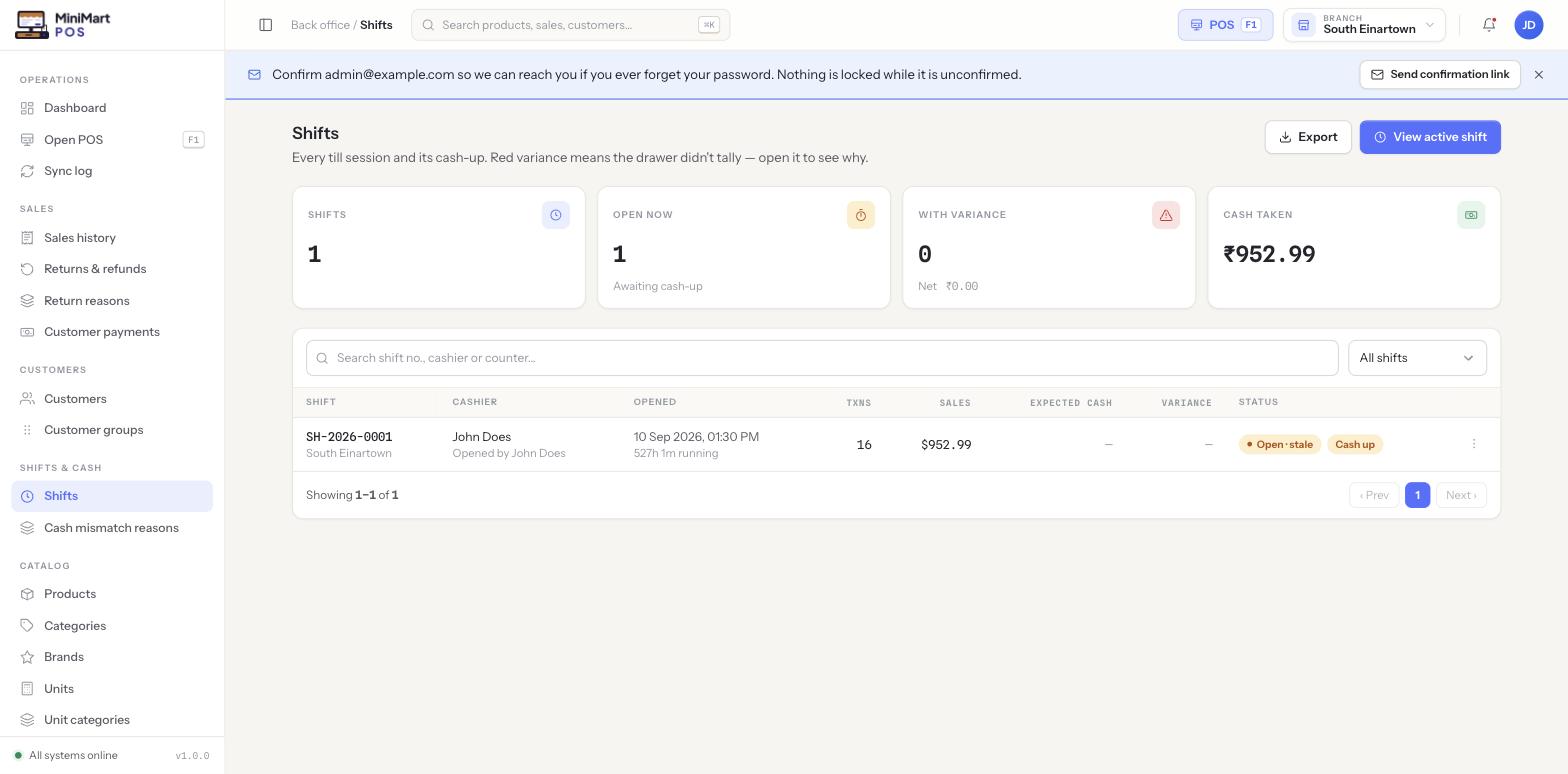
Every till session and its cash-up. A shift runs from open to close on one counter, and closing it is where the system checks whether the drawer actually tallies.
Overview
A shift is one cashier's session on one counter, from the moment they declare a starting cash float to the moment they count the drawer and close out. While it's open, every sale rung up on that counter belongs to that shift, and the cashier can record cash in or cash out movements — for example paying a supplier in cash straight from the till, or banking excess cash mid-shift — each against its own tracked reason. Closing a shift is where MiniMart calculates the expected cash (float + cash sales + cash in − cash out) and compares it to what the cashier actually counts, flagging a variance if the two don't match.
Why it's useful
Cash is the one payment method with no digital trail of its own — the only way to know whether it was all handled honestly and accurately is to count it against what the system expected. Tying every cash sale, cash-in and cash-out to a specific shift, on a specific counter, by a specific cashier, means a shortfall or an overage is immediately traceable to one session instead of being an unexplained gap in the day's takings.
Step by step
Opening a shift
- Open the POS screen on a counter
If that counter has no open shift, MiniMart prompts for one before letting you ring up anything.
- Declare your starting float
Enter the cash you're starting the drawer with — this is the baseline every later cash calculation builds on.
- Start selling
The shift is now open and tracking everything rung up on that counter until it's closed.
Recording cash in / cash out during a shift
- Open the cash-in/cash-out action
Available from the POS screen while a shift is open.
- Choose a reason
Reasons (set up by your admin) describe why cash is moving — the same "reasons are a managed entity" pattern used elsewhere in MiniMart, not free text.
- Enter the amount
It immediately adjusts the expected-cash figure the shift will be reconciled against at close.
Closing a shift (counting the drawer)
- Start the close
MiniMart shows the expected cash it's calculated from the float, cash sales, and any cash in/out recorded during the shift.
- Count the physical drawer
Enter what's actually in the till.
- Review the variance
If the counted amount doesn't match expected cash, the difference is flagged rather than silently accepted — see X reports vs. Z reports below.
- Confirm close
The shift moves to closed and becomes part of the historical Shifts list.
X reports vs. Z reports
An X report is a mid-shift snapshot — a read of where the drawer stands right now without closing anything, useful for a cashier or manager who wants a sanity check partway through a long shift. A Z report is the final reconciliation produced when the shift actually closes, and is the one that matters for the books.
Reviewing shifts (Admin/Manager)
The Shifts list is where an admin or manager reviews every past and current shift across the branch — search or filter the list, and use View active shift to jump straight to whichever one is open right now. A variance status is the signal to open a shift and see why the drawer didn't tally; a status like "Open · stale" flags a shift that's been left open far longer than a normal session, which is worth checking in person before assuming it's just a long day.
Tips & best practices
- Close every shift at the end of the day — a shift left open overnight shows as stale and makes the next day's opening float harder to reason about.
- Record cash in/out at the moment it happens, not from memory at close — it's the single biggest source of a variance that turns out to have a perfectly good explanation nobody wrote down.
- Review the "With variance" stat card regularly rather than only when a cashier flags a problem — small, recurring variances on the same counter or cashier are worth investigating before they become a pattern.
Notes & warnings
Counting the drawer and finding a mismatch doesn't stop the shift from closing — it's flagged for review rather than treated as an error state, so an honest mistake doesn't lock up the till for the next cashier.
A counter with no open shift won't let the POS screen ring up a sale at all. If a cashier can't start selling, check here first — either the shift was never opened, or it's open under a different cashier/counter than the one they're trying to use.