
Expenses
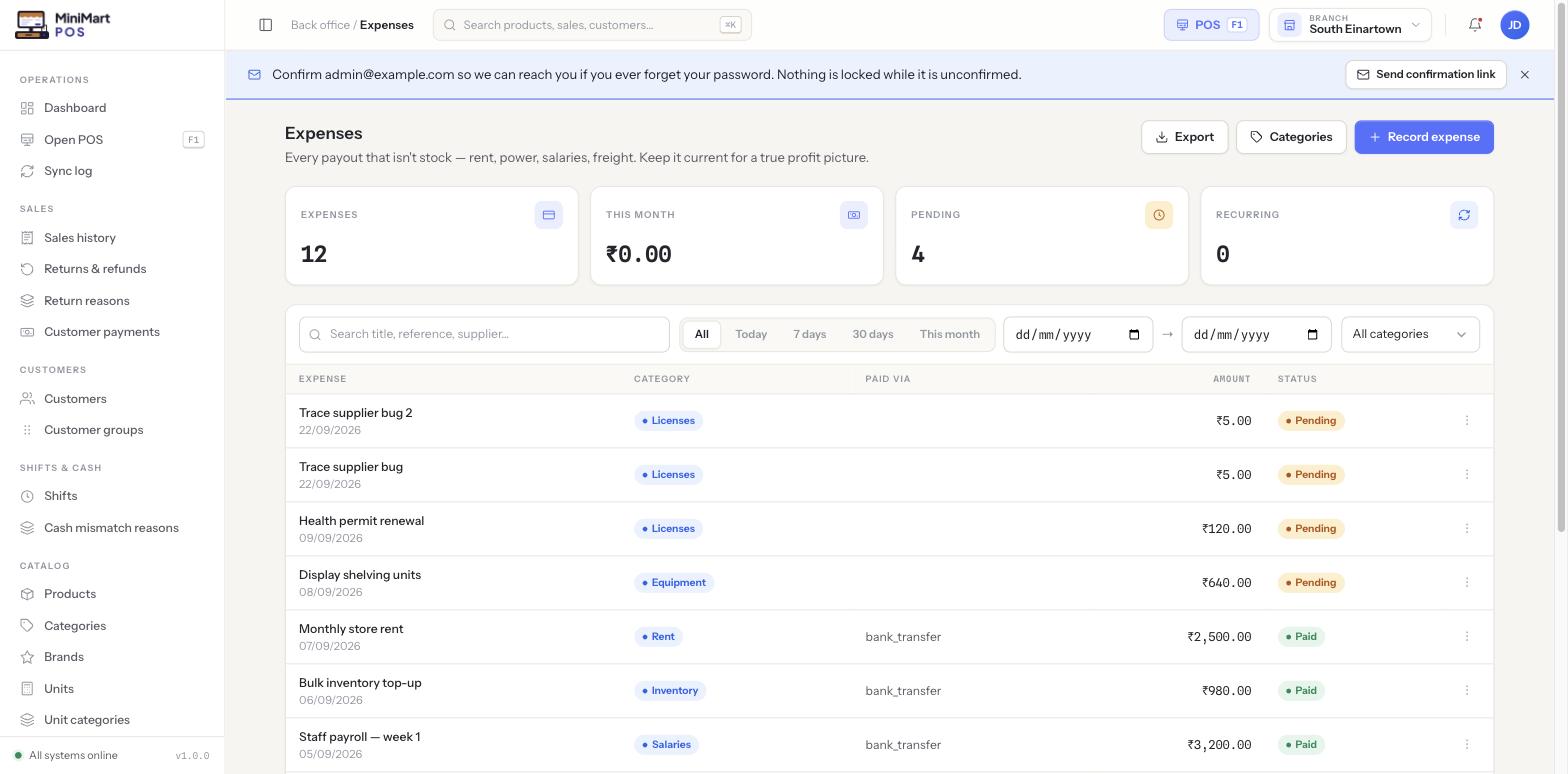
Every payout that isn't stock — rent, power, salaries, freight, licences, equipment. Keep it current for a true profit picture, not just a sales number.
Overview
Expenses are the money that leaves your business for reasons other than buying stock to resell — things like rent, electricity, staff salaries, freight, software licences and equipment. They're kept deliberately separate from Purchase orders and purchase bills, which are inventory spend and sit behind their own vendor permissions: an expense is a general operating cost, a purchase is stock you intend to sell. Every expense has a category (its own managed list — rent, utilities, salaries and so on), an amount, how it was paid, and a status of Pending or paid. You can optionally tie an expense to a supplier (useful for things like a freight company or a maintenance contractor who also appears in Purchasing), and mark it recurring if it repeats on a schedule, like monthly rent.
Why it's useful
Sales revenue only tells half the story — a shop that rings up great daily sales can still be losing money once rent, wages and power are paid. Recording expenses alongside sales gives you the other half, and it feeds straight into Reports: the Purchasing report category includes an Expense summary that rolls every category up so you can see, month to month, where the money is actually going — not just what came in.
Step by step
Record an expense
- Click Record expense
From the Expenses list, open the new-expense form.
- Give it a title and pick a category
Choose an existing category (Rent, Utilities, Salaries, Licences, Equipment, etc.) or create one first via Categories if nothing fits yet.
- Enter the amount and how it was paid
Paid via records the payment method — cash, bank transfer, card — so your cash position stays accurate.
- Link a supplier (optional)
If the expense is owed to a supplier already in your Suppliers list — a landlord, a freight company, a maintenance contractor — attach it here so it shows on that supplier's history too.
- Mark it recurring (optional)
Turn this on for anything that repeats on a schedule, like monthly rent or an annual licence, so you don't have to re-enter it from scratch every period.
- Save
The expense starts as Pending until you mark it paid, and immediately appears in the list and in the this-month stat card.
Manage categories
- Click Categories
Opens the managed list of expense categories used across every expense record.
- Add, rename or retire a category
Keep the list tight and meaningful — categories are what the Expense summary report groups by, so a messy category list makes that report messy too.
Tips & best practices
- Record expenses as they happen rather than batching them at month end — the This month total stat card is only as current as your last entry.
- Use a small, stable set of categories rather than a new one per vendor — it keeps the Expense summary report readable.
- Mark genuinely recurring costs (rent, subscriptions) as recurring so you have a consistent trail to compare period over period.
- Link an expense to its supplier when one exists, so that supplier's own ledger and spend history stay complete.
Notes & warnings
Buying stock you intend to resell belongs in Purchase orders and purchase bills, which affect inventory and cost of goods. Expenses never touch stock levels — they're purely an operating-cost record.
An expense you haven't marked as paid yet already shows up in category totals and the Expense summary report for the period it was recorded in — pending just tracks whether you've actually settled it, not whether it's "real" yet.